|
Document ID: |
KB-2026-MFA-001 |
|
Last Updated: |
February 16, 2026 |
|
Category: |
Security & Authentication |
|
Applies To: |
All Queensford College Staff and Students |
Overview
This knowledge base article provides step-by-step instructions for setting up Multi-Factor Authentication (MFA) using Microsoft Authenticator for Queensford College accounts. MFA adds an additional layer of security to your account by requiring a verification code from your mobile device in addition to your password.
Prerequisites
Before starting, ensure you have:
-
Active Queensford College account
Example:QFC123456789@queensford.edu.au -
Temporary or existing password
-
Smartphone (Android or iPhone)
-
Internet connection
-
Microsoft Authenticator app installed
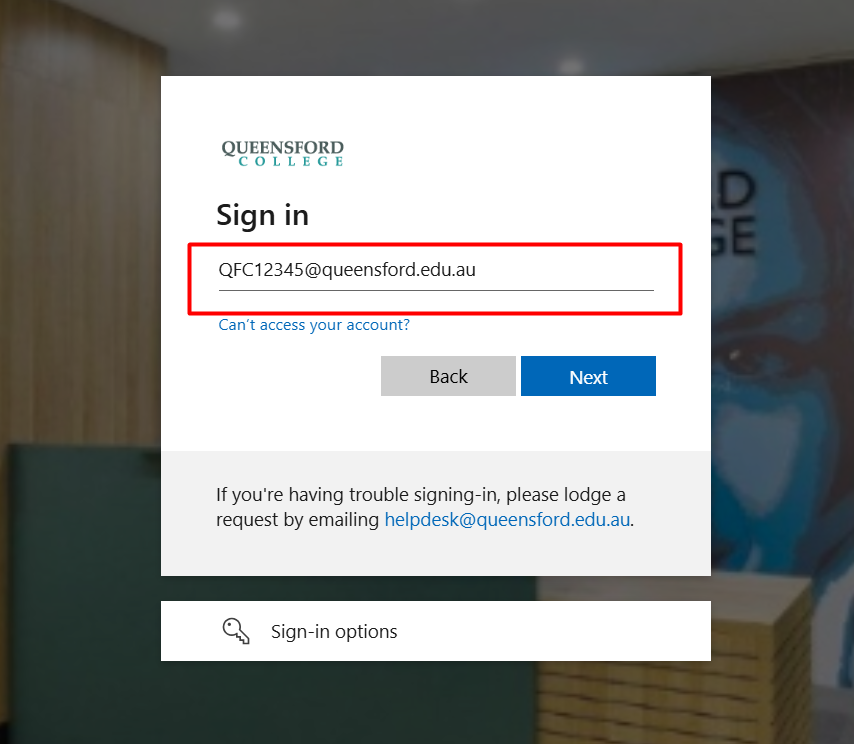
Step 1: Sign in to Office 365
-
Go to https://www.office.com
Step 2: Enter Password
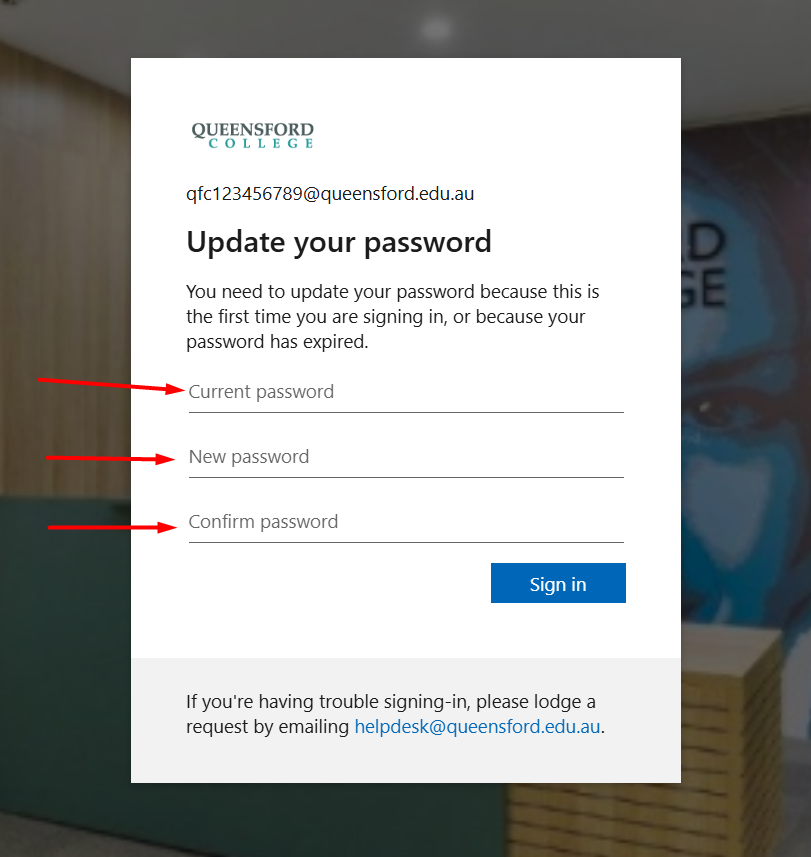
-
Enter current password
-
Enter your new password
-
Click Sign in
Step 3: You will see the message
"Let's keep your account secure"
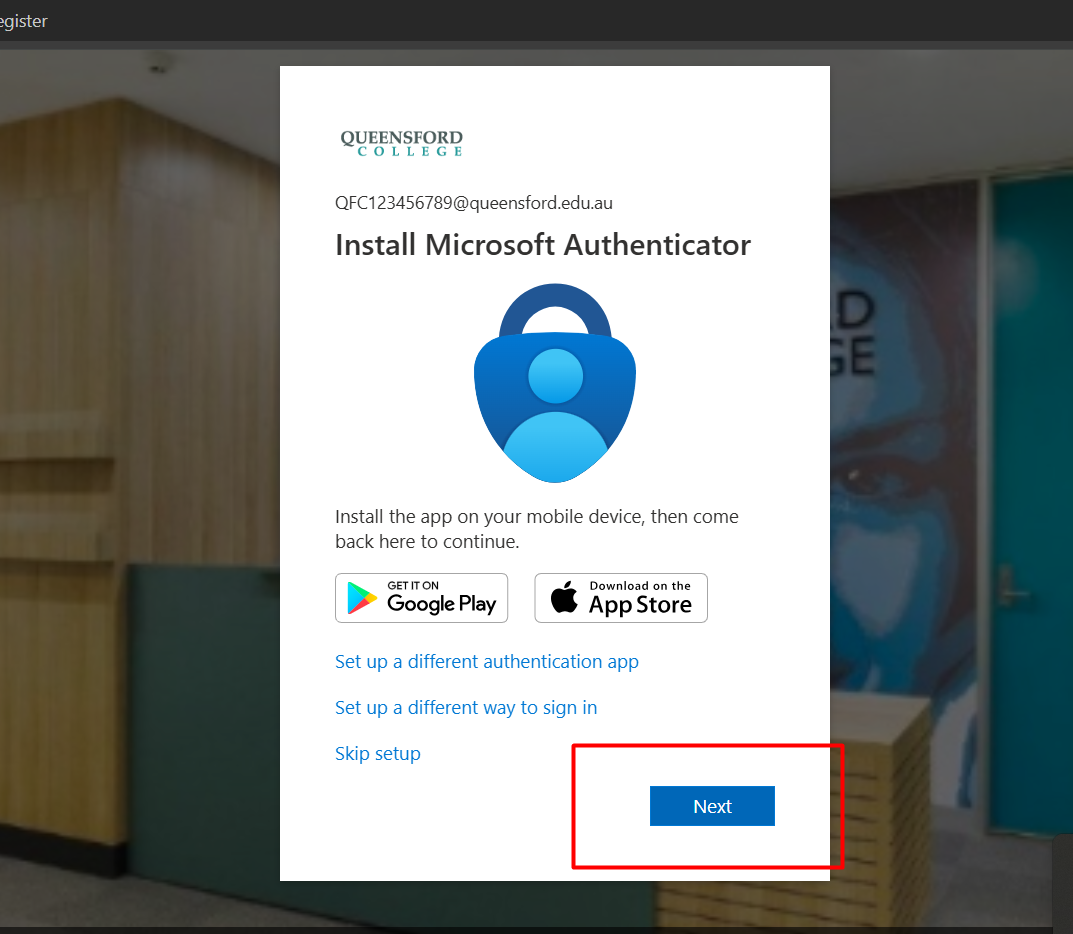
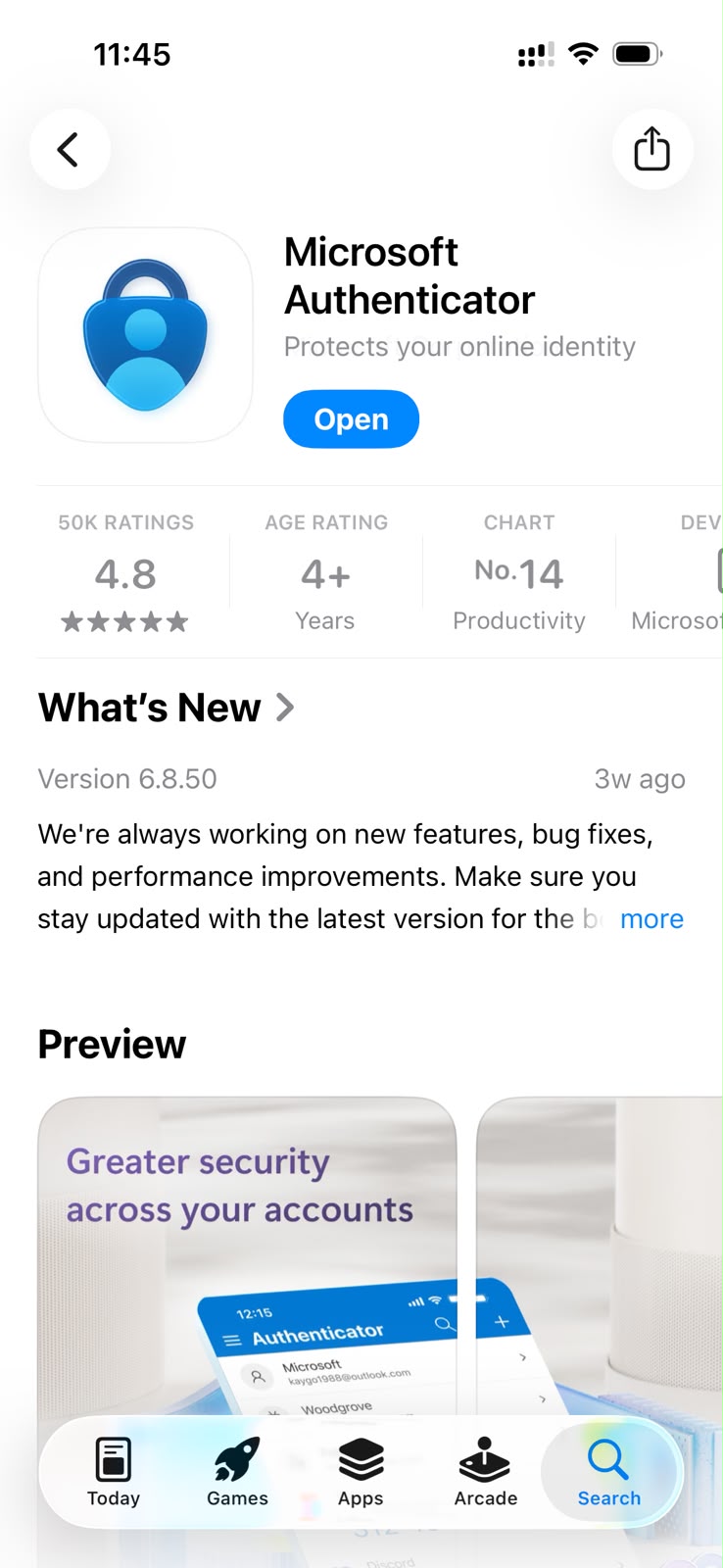
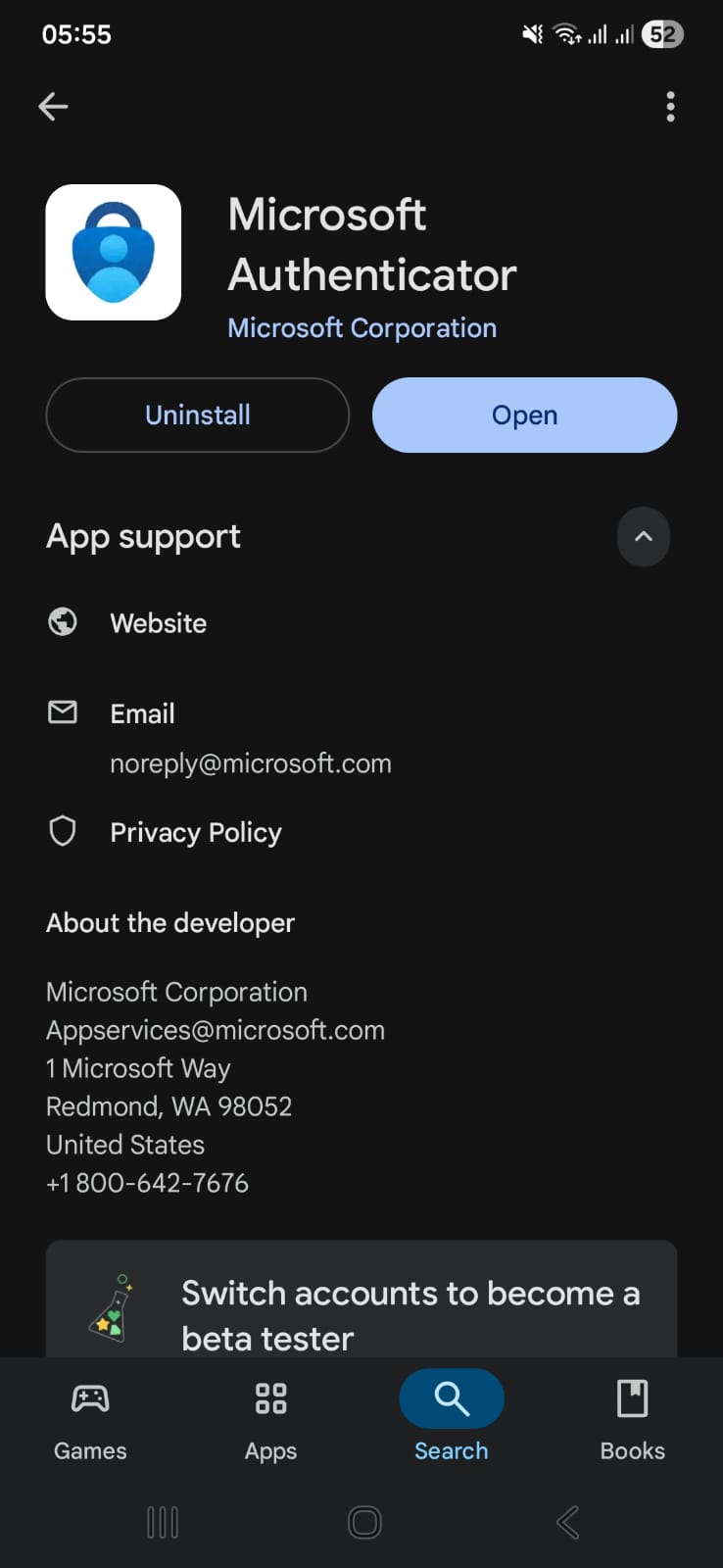
Step 4: Install Microsoft Authenticator App ( Apple & Android)
If not already installed:
-
Install Microsoft Authenticator from Play Store or App Store
-
Open the app on your phone
- Download Microsoft Authenticator:
https://apps.apple.com/us/app/microsoft-authenticator/id983156458
https://play.google.com/store/apps/details?id=com.azure.authenticator
Step 5: Add Work or School Account
On your phone:
-
Open Microsoft Authenticator
-
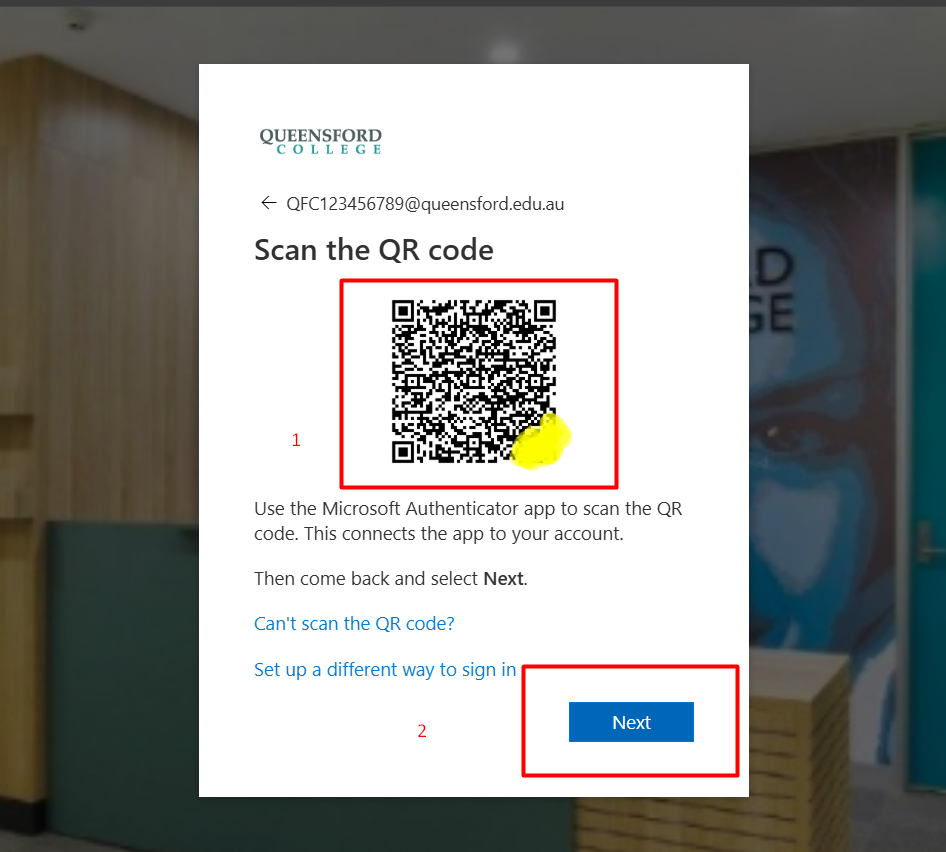
Select Scan QR code
-
Scan the QR code using your phone
-
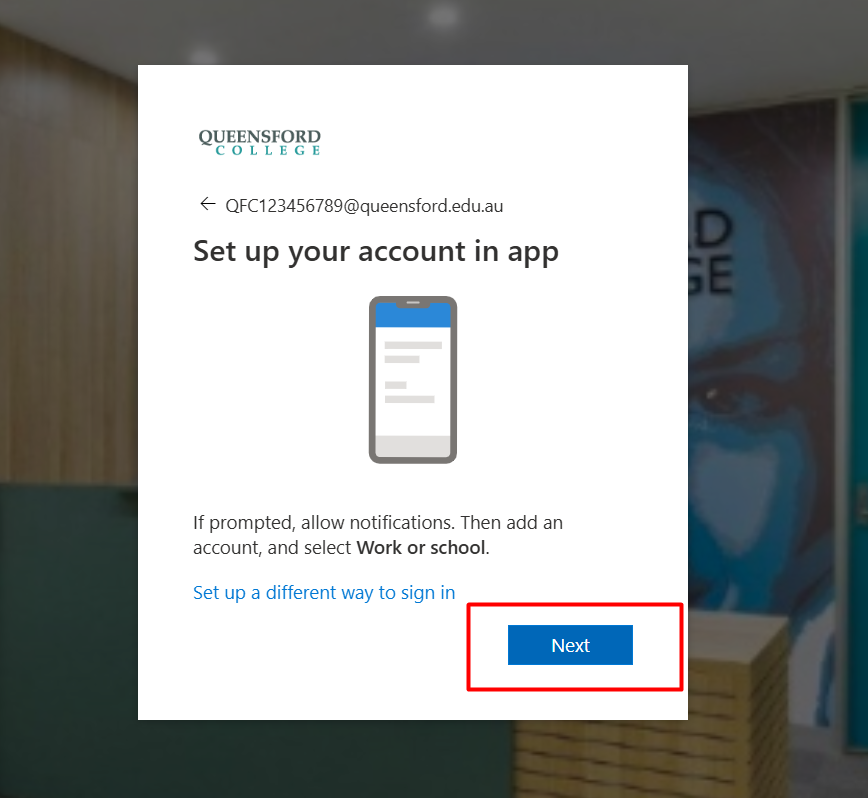
This links your account to the Authenticator app
-
Click Next
Step 6: Verify the Code
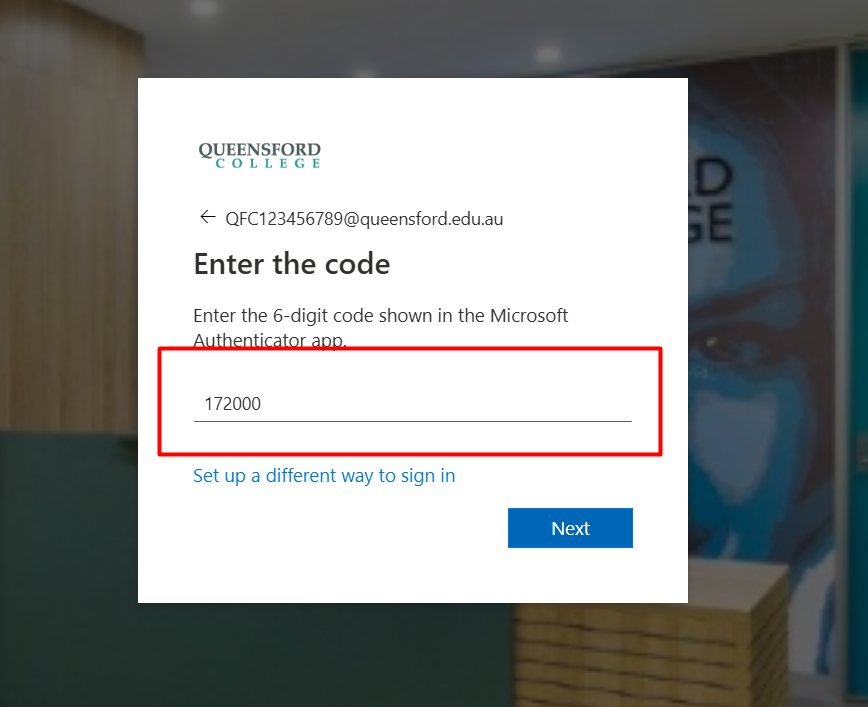
The Authenticator app will generate a 6-digit code.
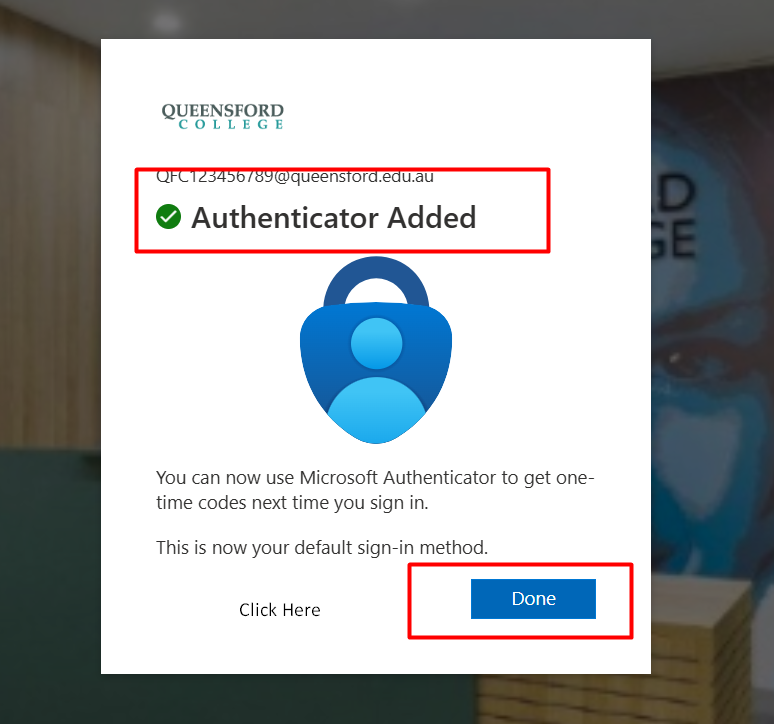
Step 7: Authenticator Successfully Registered
You will see:
"Authenticator Added"
Click Done
Your MFA setup is now complete.
Support & Contact Information
If you experience any issues during the MFA setup process or need assistance, please
Contact the Queensford College IT Helpdesk:
Email: helpdesk@queensford.edu.au
Response Time: Within 2 business hours for urgent issues