Overview
This guide explains how students and staff can log in to the Queensford College Moodle Learning Management System (LMS) using their official Queensford College email account.

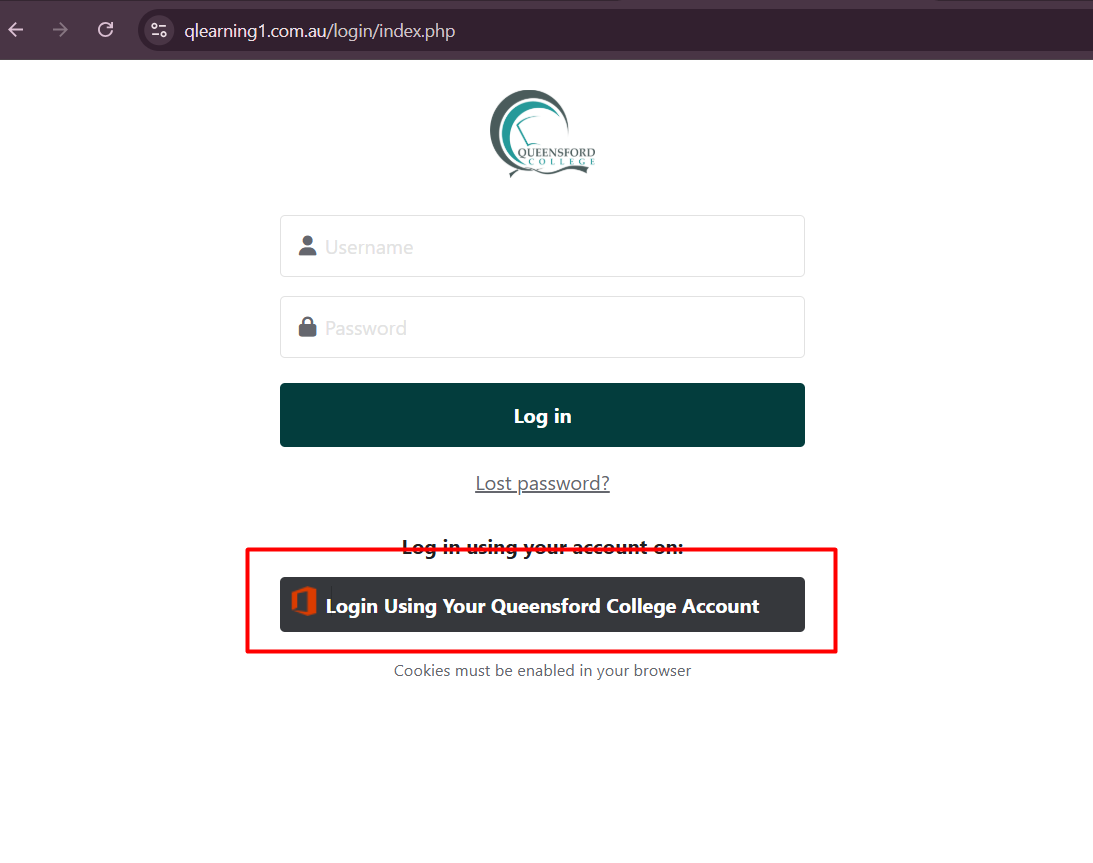
Step 1: Open the Moodle Login Page
-
Open your web browser (Chrome, Edge, Firefox recommended).
-
You will see the Moodle login screen.
Step 2: Click the Office 365 Login Button
-
Click on:
"Login Using Your Queensford College Account" -
This will redirect you to the Microsoft Sign-in page.
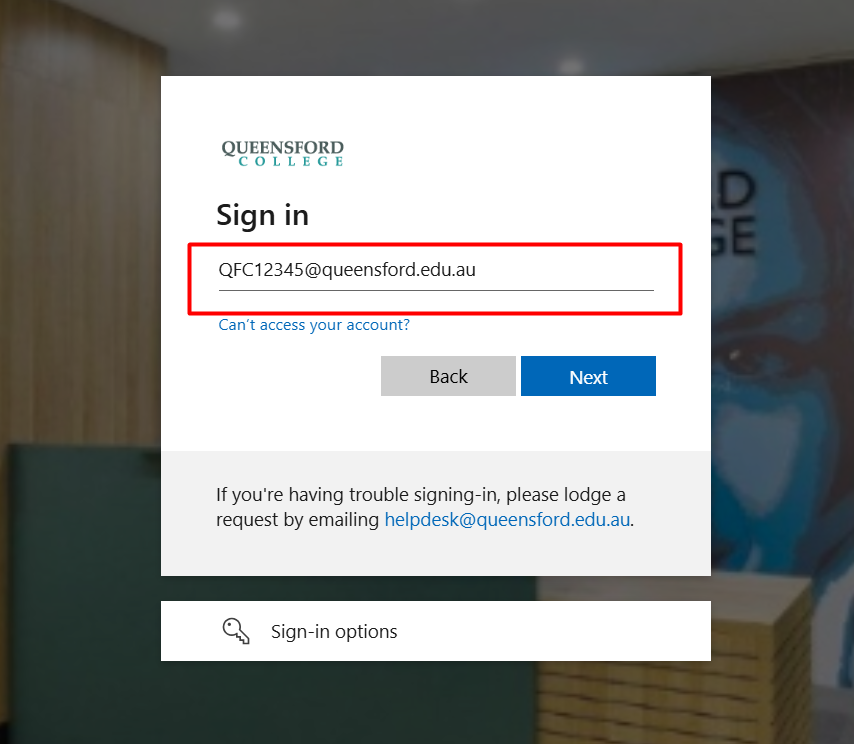
⚠️ Do NOT enter username/password in the standard Moodle fields unless instructed by IT.
-
Enter your Queensford email address
Example: QFC12345@queensford.edu.au -
Click Next
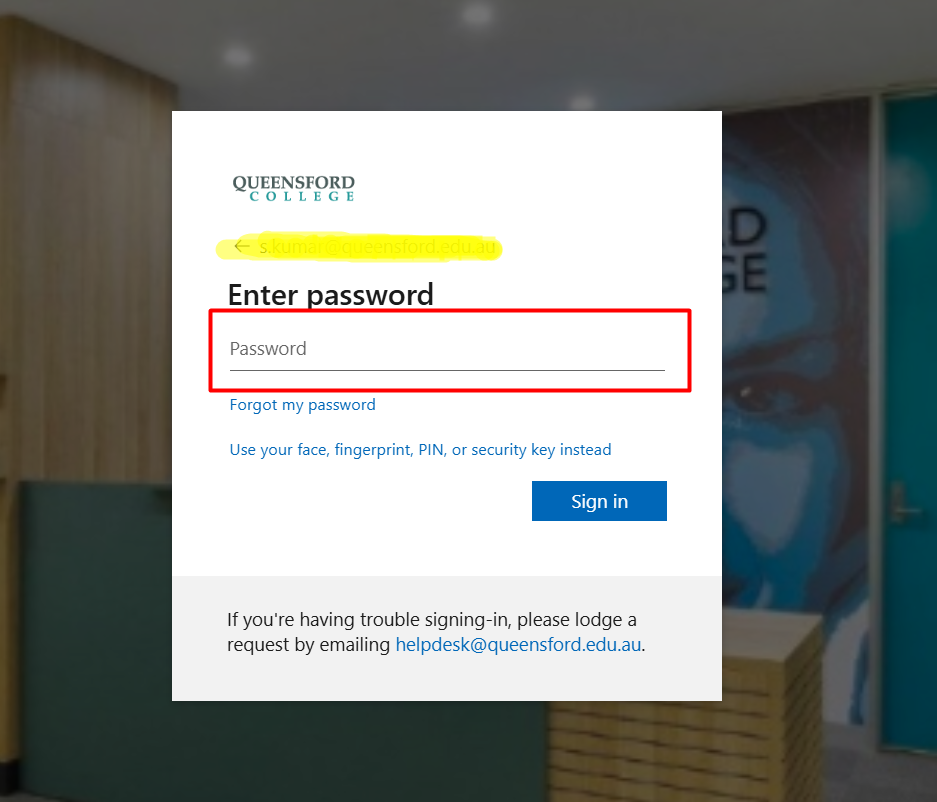
Step 4: Enter Your Password
-
Enter your Queensford College password
-
Click Sign in
-
Complete Multi-Factor Authentication (MFA) if prompted
Step 5: Access the Moodle Dashboard
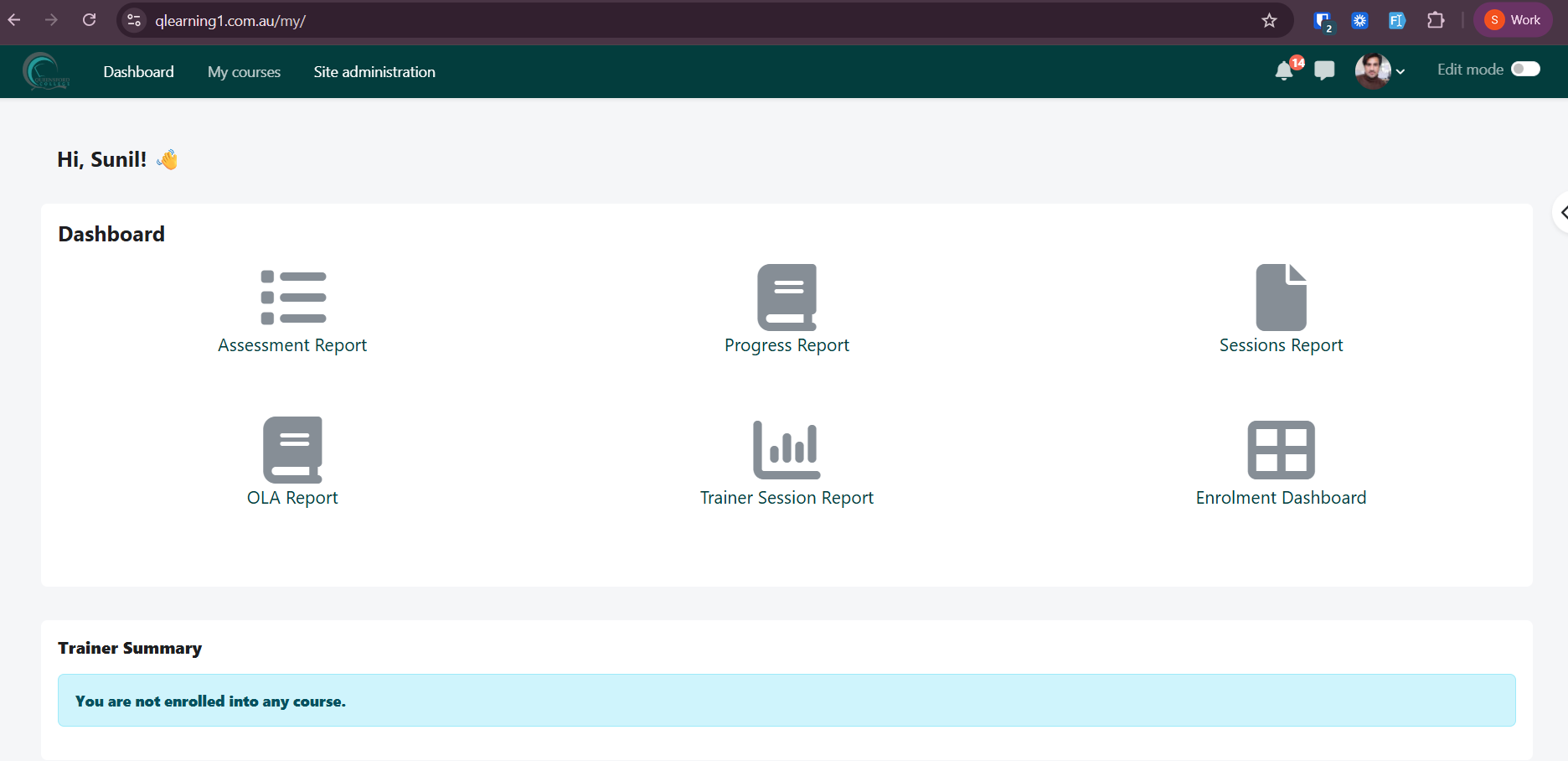
Once logged in, you will see:
-
Dashboard
-
My Courses
-
Assessment Report
-
Progress Report
-
Sessions Report
-
Enrolment Dashboard
Support Contact
Email:
helpdesk@queensford.edu.au
Quick Login Link
Direct URL:
https://qlearning1.com.au/login/index.php