📘 How to Attempt and Re-Attempt a Quiz
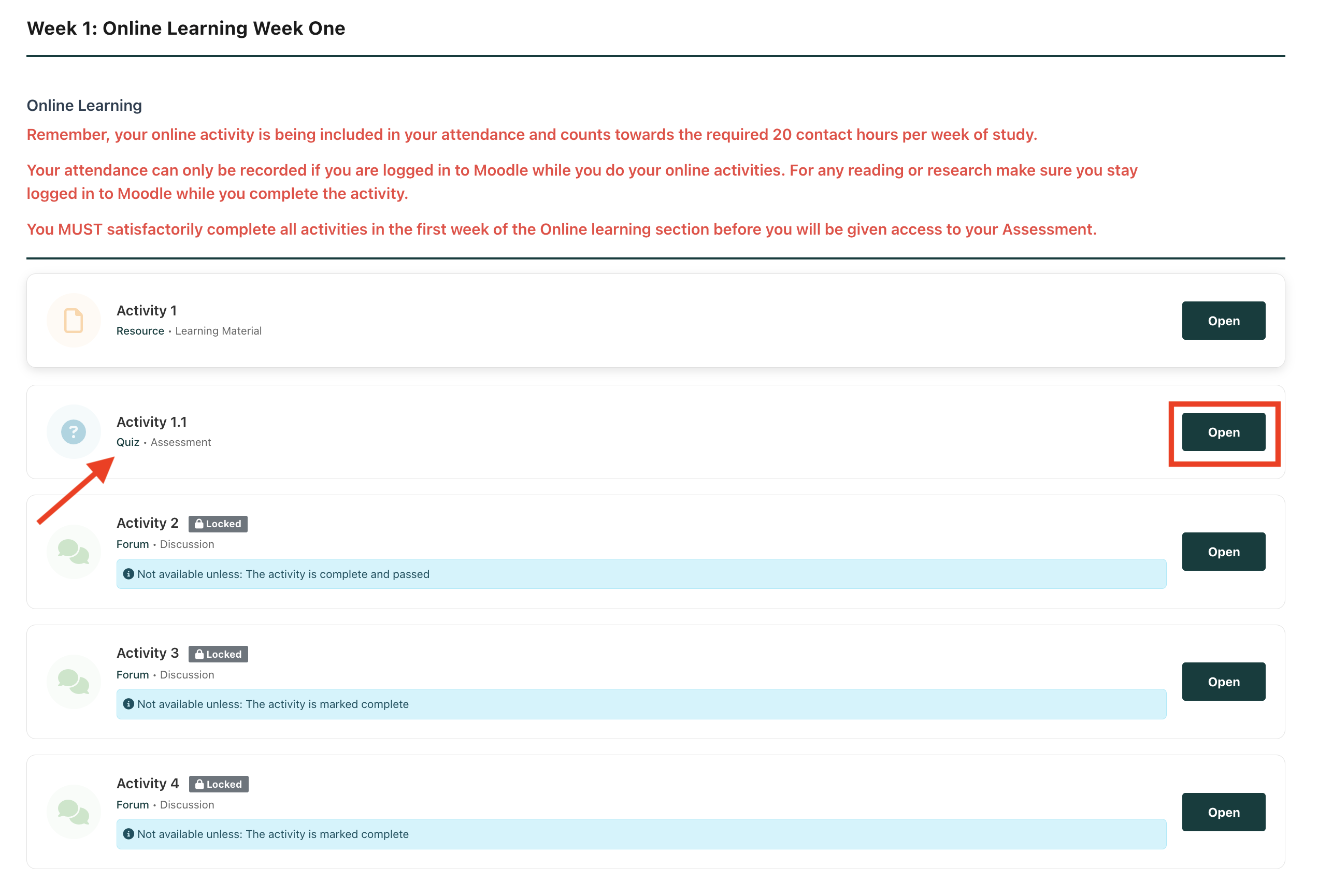
Step 1: Access the Quiz
-
Navigate to the Quiz section in your module.
-
Click “Open.”
A new window will appear.
Step 2: Start the Quiz
-
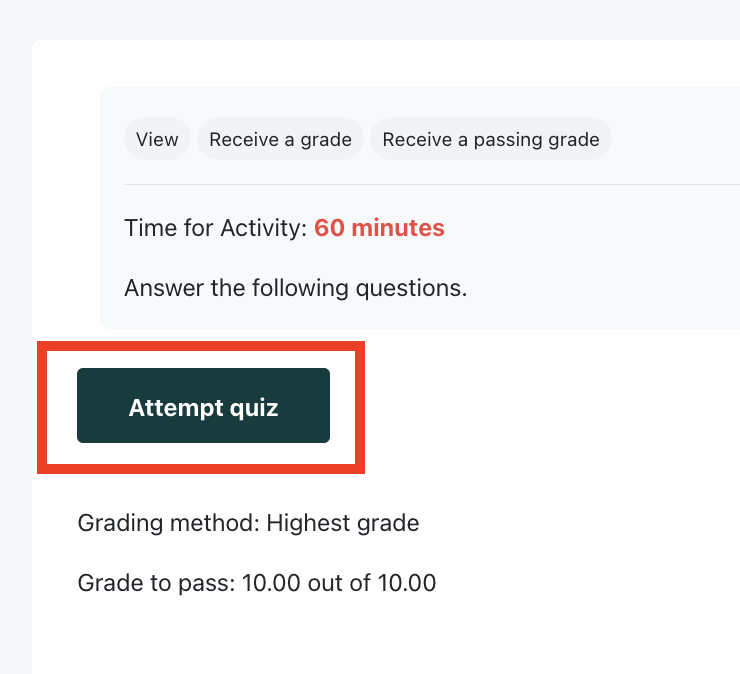
Click “Attempt Quiz.”
-
A new window will open displaying the quiz questions.
What to Expect in the Quiz
A quiz may include different types of questions, such as:
-
True or False
-
Multiple Choice
-
Choose the Correct Answer
-
Drag and Drop
-
Matching Questions
-
And more
Each correct answer carries a certain number of marks.
🎯 Passing Mark: 10
Your goal is to achieve at least the passing mark.
Step 3: Complete and Submit the Quiz
-
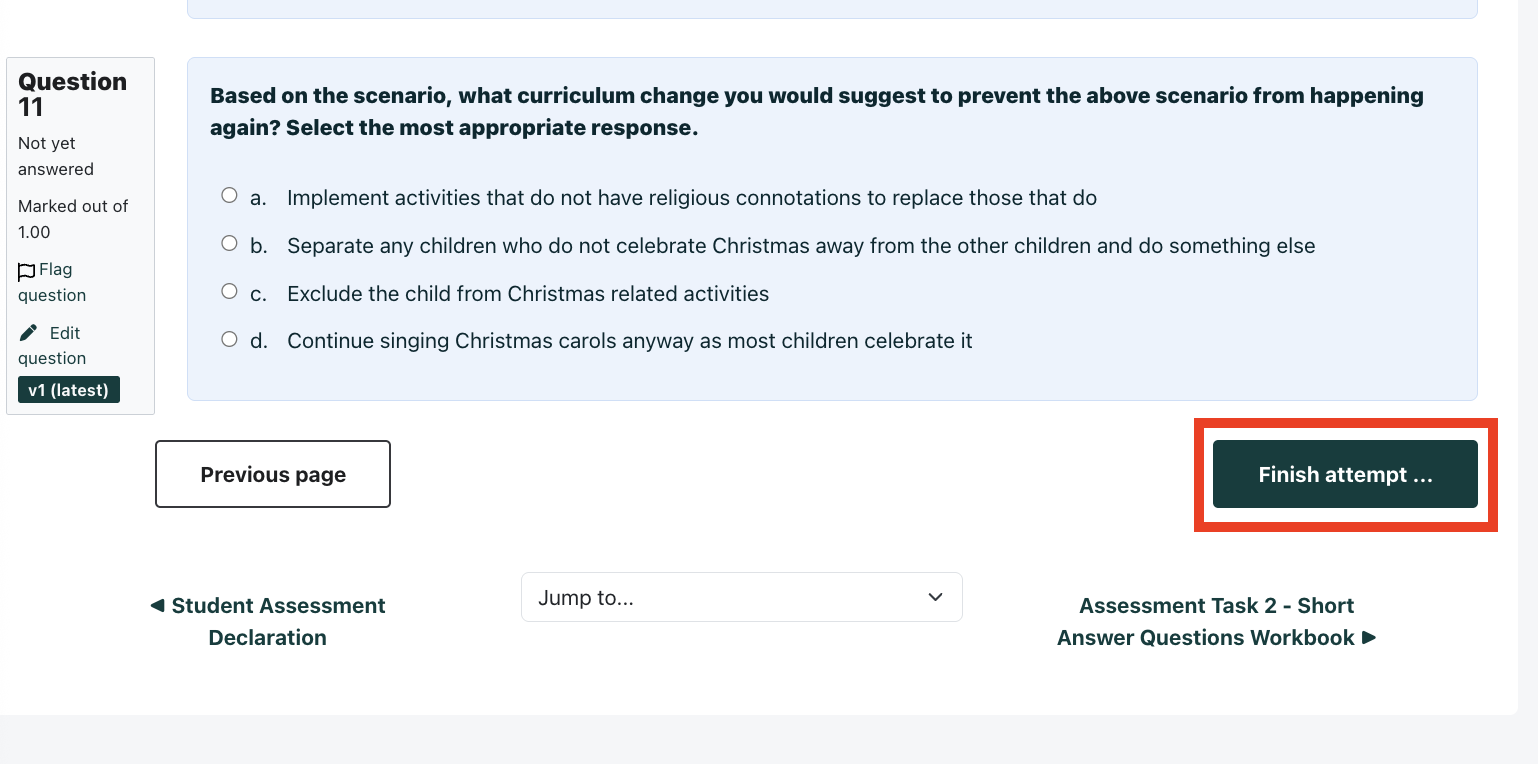
Answer all the questions.
-
Click “Finish Attempt.”
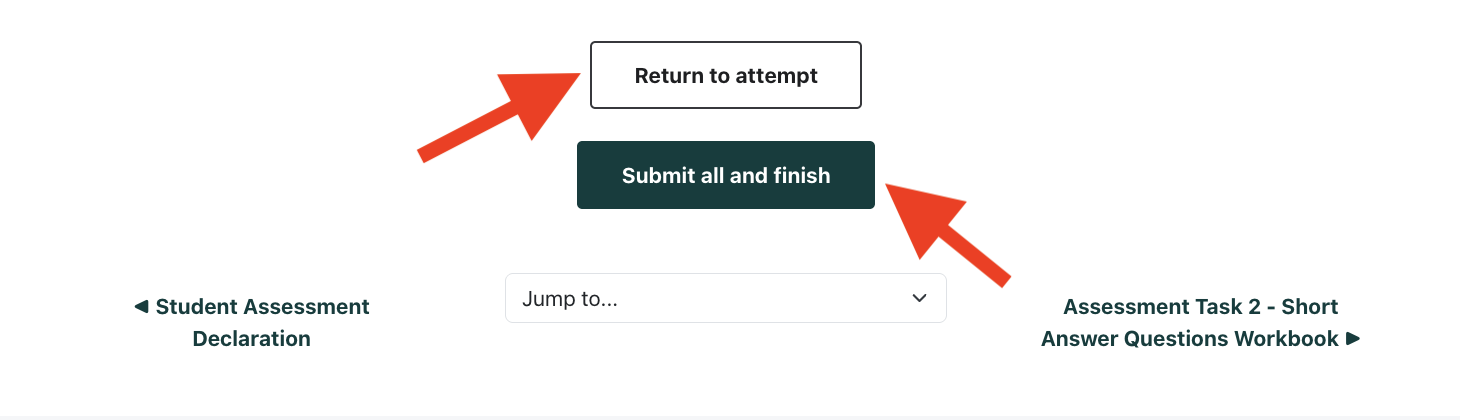
You will now have two options:
-
Return to Attempt – If you want to change your answers.
-
Submit All and Finish – If you are ready to finalise your submission.
⚠ Once you click Submit All and Finish, your attempt will be recorded.
Step 4: View Your Results
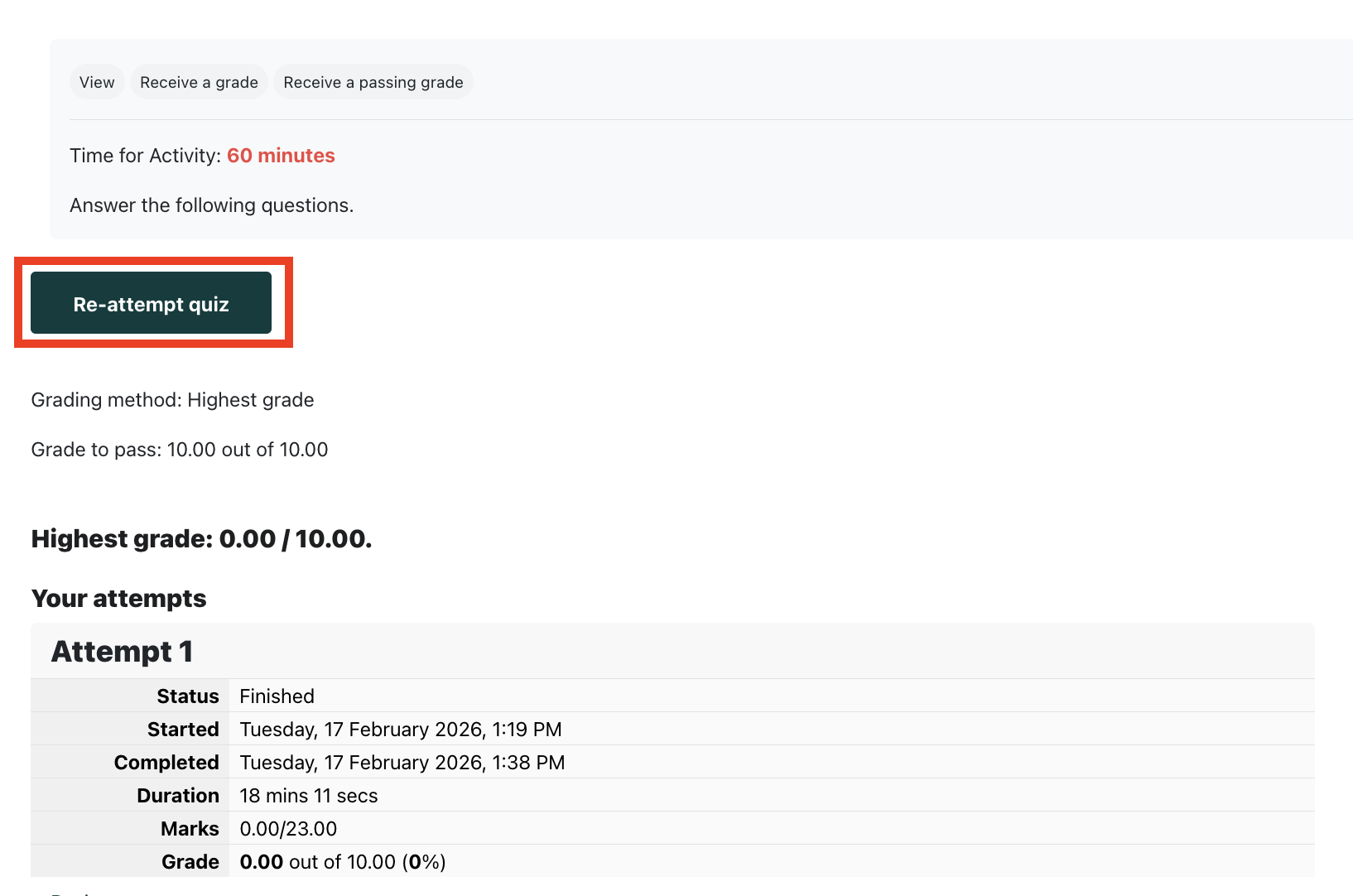
After submission, a results page will appear showing:
-
Status (Started / Completed)
-
Duration
-
Marks
-
Grade
You will also be able to see whether your answers were correct or incorrect.

Attempt Limits (Important)
The number of attempts depends on where the quiz is located:
✅ Online Learning (OL) Section
-
You have unlimited attempts.
⚠ Assessment Section
-
You are allowed only 3 attempts.
-
After 3 attempts, you cannot try again unless your teacher grants additional access.
📌 If you need more attempts, contact your teacher.
How to Re-Attempt a Quiz
If your grade is unsatisfactory and attempts are still available:
-
Navigate back to the quiz.
-
Click “Open.”
-
A new window will appear.
-
Click “Re-attempt Quiz.”
-
Start the quiz again.
You can repeat this process until you reach the maximum allowed attempts.
Final Grade Calculation
If multiple attempts are allowed:
✅ The highest grade from all attempts will be recorded as your final grade.
Important Reminders
-
Always review your answers before submitting.
-
Check your attempt count before starting again.
-
For Assessment quizzes, you cannot exceed 3 attempts without teacher approval.
-
Aim to achieve at least the passing mark of 10.